_edited_edited_edited.png)

🚚 FREE & FAST SHIPPING💖 MADE TO MAKE YOU SMILE💳 SAFE & EASY PAYMENT🔒 SECURE CHECKOUT🎁 PERFECT GIFT IDEA🔥 LIMITED-TIME OFFER
Spin Countdown Timer Electronic Timer
(4.4) 893+ Customer Reviews


29.99$
39.99$
🔥 25% OFF
🚚 FREE SHIPPING • ALL ORDERS
⏳SELLING FAST • $29.99 TODAY
TODAY’S SPECIAL OFFER
🔒 SECURE & EASY PAYMENT • 🚚 FREE SHIPPING ON ALL ORDERS


🧲 Magnetic & Desktop Design
Built-in magnets provide secure placement on metal surfaces, while the stable base allows easy use on desks, tables, and kitchen counters.
⏱️ Precise Countdown & Count-Up
Set and track time from 00:00 to 99:55 with easy rotary control. Use it for both countdown and stopwatch modes, with 5-second precision and fast minute adjustment.

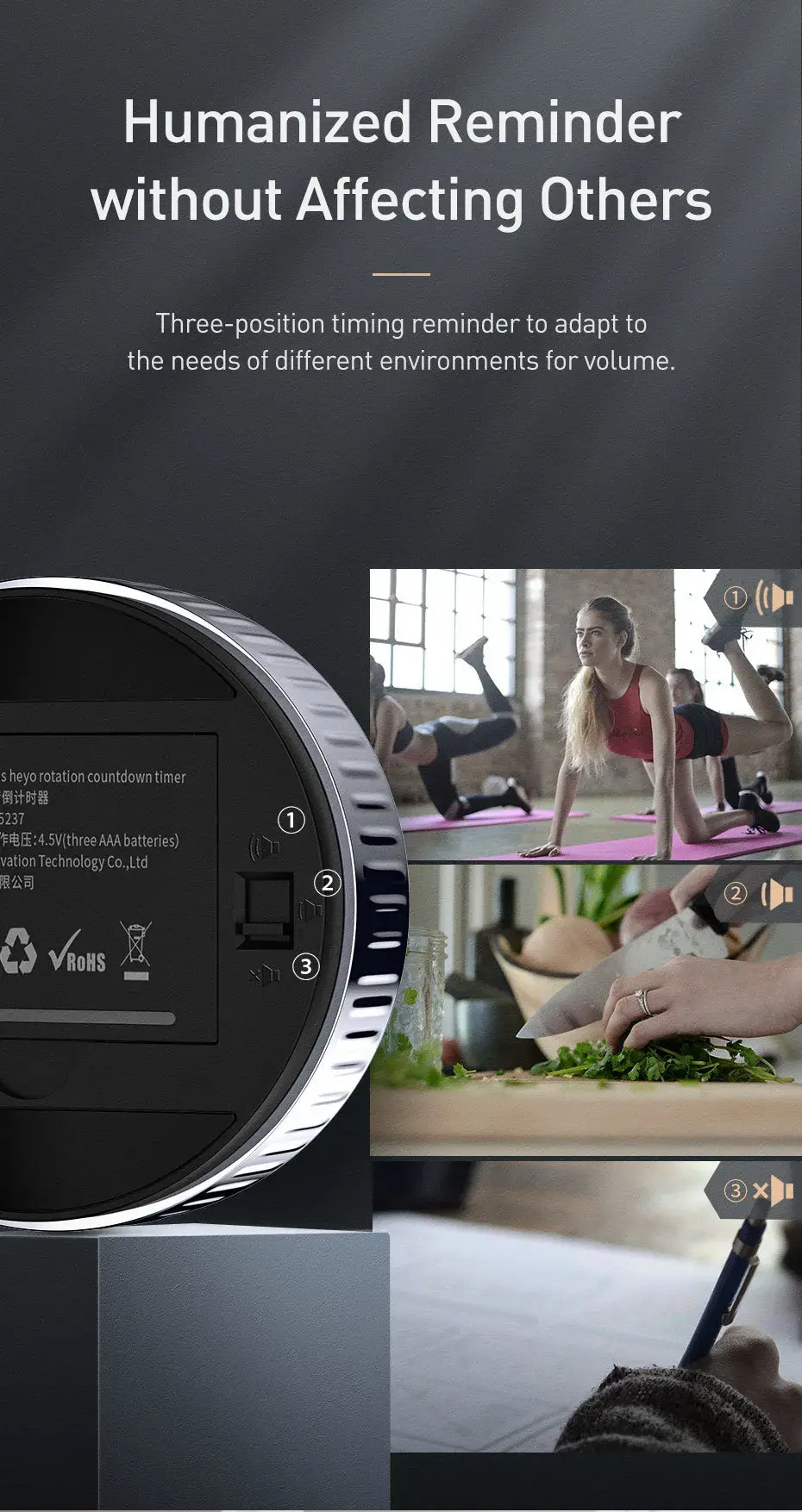
🔊 Adjustable Volume
Choose between high, low, or silent mode to suit your environment, with a visual flashing reminder available in mute mode.
Baseus Heyo Rotation Countdown Timer
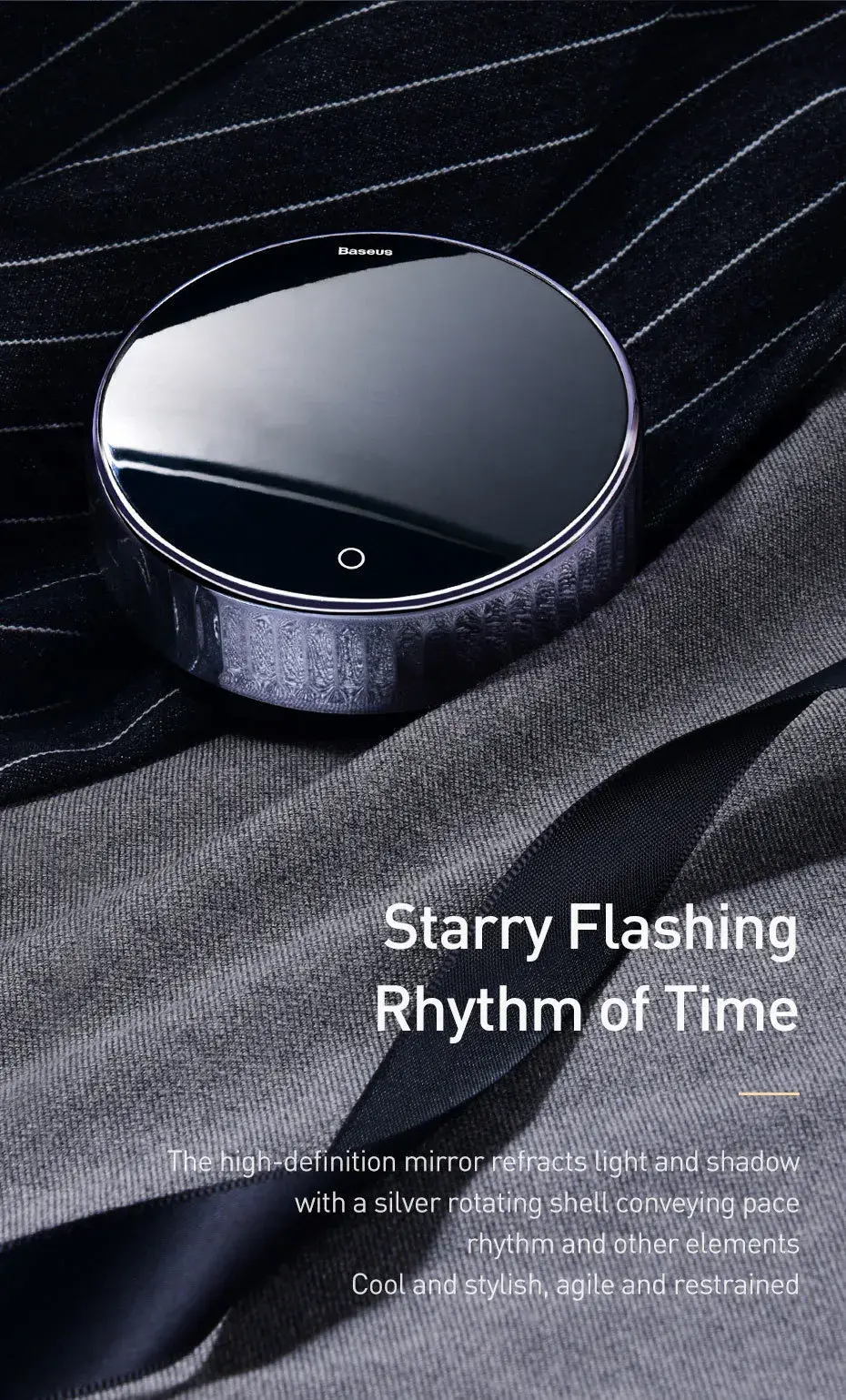
Take control of your time with the Baseus Heyo Rotation Countdown Timer. Designed with a premium mirror-style digital display and an intuitive rotary control, it makes setting and monitoring time quick, simple, and precise.
Whether you're cooking, studying with the Pomodoro technique, working out, practicing yoga, or managing meeting times, this compact timer helps you stay focused and on schedule.
⏱️ Precise Countdown & Count-Up
Set your desired time from 00:00 to 99:55 and start the countdown with a simple turn-and-press operation.
When the display is at 00:00, you can also use it as a stopwatch with the count-up function.
The rotary control allows:
-
5-second increments for precise adjustments
-
Rapid minute-by-minute adjustment with a faster rotation
🔊 Adjustable Volume
Choose the sound level that works best for your environment:
-
High Volume: 80–90 dB — Ideal for workouts, yoga, baking, and noisy kitchens
-
Low Volume: 60–70 dB — Perfect for everyday cooking and home use
-
Mute: 0 dB — Silent operation with a visual flashing reminder for studying, reading, offices, and libraries
🧲 Magnetic & Desktop Design
The built-in magnetic base lets you attach the timer securely to refrigerators, ovens, magnetic whiteboards, and other metal surfaces.
It can also stand firmly on desks, tables, and kitchen counters.
✨ HD Mirror Display
The large round mirror display features clear, high-definition digital numbers that are easy to read whether you're standing or sitting.
🏆 Award-Winning Design
The Baseus Heyo Rotation Countdown Timer was recognized as a 2019 Taiwan Golden Pin Design Award winner in the Product Design / Homeware category.
📋 Technical Specifications
-
Brand: Baseus
-
Product: Baseus Heyo Rotation Countdown Timer
-
Model: YGH-5237
-
Material: ABS
-
Color: Black
-
Dimensions: 78 × 78 × 27.5 mm
-
Weight: 90 g (without batteries)
-
Working Voltage: 4.5V
-
Battery: 3 × AAA batteries
-
Timing Range: 00:00–99:55
-
Accuracy: Accurate to the second
-
Working Temperature: 0°C–50°C
-
Certifications: RoHS compliant, WEEE recyclable
-
Batteries: Not included
🎯 Perfect For
Cooking & Baking • Pomodoro Study Sessions • Yoga & Workouts • Meetings • Reading • Daily Reminders • Time Management
Simple controls. Clear visibility. Precise timing.
The Baseus Heyo Rotation Countdown Timer is a practical addition to any kitchen, workspace, study desk, or workout area.



%25 OFF
🌎 We Ship to the USA, UK & EU • 🚚 Fast Shipping • 📦 Secure Delivery • 🛍️ Shop PriceVibe


Discover the Countdown Timer
How to Use
Scroll Down

1. Insert the Batteries
Open the battery compartment and insert 3 AAA batteries. Make sure the batteries are placed according to the + / – polarity markings.
2. Set the Timer
Turn the rotary dial to set your desired time from 00:00 to 99:55. Turn slowly for precise 5-second adjustments, or turn quickly for faster minute changes.
3. Start & Stop
Press the front button to start or pause the countdown. When the timer reaches 00:00, an alarm and flashing display will notify you.
4. Adjust the Volume
Use the switch on the back to choose between High, Low, or Mute mode. Mute mode provides a visual flashing reminder without sound.

5. Place It Anywhere
Use the built-in magnetic base to attach the timer to refrigerators, ovens, whiteboards, and other metal surfaces. It can also stand securely on desks, tables, and kitchen counters.
1. Insert the Batteries
Open the battery compartment and insert 3 AAA batteries. Make sure the batteries are placed according to the + / – polarity markings.
3. Start & Stop
Press the front button to start or pause the countdown. When the timer reaches 00:00, an alarm and flashing display will notify you.
5. Place It Anywhere
Use the built-in magnetic base to attach the timer to refrigerators, ovens, whiteboards, and other metal surfaces. It can also stand securely on desks, tables, and kitchen counters.
2. Set the Timer
Turn the rotary dial to set your desired time from 00:00 to 99:55. Turn slowly for precise 5-second adjustments, or turn quickly for faster minute changes.
4. Adjust the Volume
Use the switch on the back to choose between High, Low, or Mute mode. Mute mode provides a visual flashing reminder without sound.